
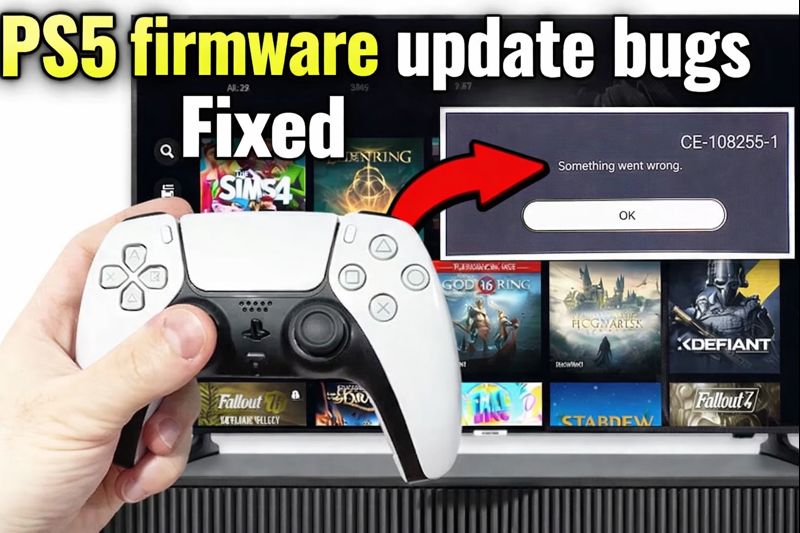
PlayStation 5 firmware updates are meant to improve system stability, add new features, and refine performance. But in 2026, several PlayStation 5 firmware update bugs have sparked frustration across the PS5 community. Gamers are reporting issues ranging from UI glitches and performance drops to connectivity hiccups and game crashes shortly after installing the latest firmware versions. Because the PS5 is one of the most popular consoles globally, even minor bugs can impact millions of players, whether they’re racing through story campaigns, playing competitive multiplayer, or streaming content.
Firmware bugs are not unusual in complex systems like the PS5, especially as Sony pushes new features tied to hardware optimizations and cloud services. Still, when updates introduce new problems that affect everyday use, players rightfully want explanations and solutions. This blog post breaks down what kinds of bugs are being reported in 2026, why they might be happening, practical fixes and workarounds, and how Sony typically responds to such issues.
Why Firmware Updates Can Introduce Bugs
Firmware is the low-level software that controls the PS5’s operating system, hardware communication, and many core features. Unlike game patches that affect a single title, firmware touches multiple subsystems—UI, networking, audio output, game compatibility, storage access, and more. Because firmware updates affect so many parts of the system, even small changes can have unintended side effects.
In 2026, Sony has been particularly aggressive in optimizing background services, cloud integration, and external storage handling. These improvements are beneficial in the long term, but they also increase the risk of regressions—where previously working features behave differently or break after an update.
Common PS5 Firmware Update Bugs in 2026
1. UI Freezes and Slow Navigation
Many players report that menus and system screens take longer to respond after the latest firmware updates. Navigating game libraries, settings, and friend lists can lag or hang temporarily, even on standard SSD configurations.
2. Network Connectivity Issues
Online gaming and downloads may fail to connect or drop unexpectedly. Some users find that Wi-Fi and Ethernet connections behave inconsistently after signing in or starting a game, leading to matchmaking failures and interrupted downloads.
3. Game Crashes on Launch
Several popular titles crash immediately after launch or within a few minutes of gameplay. This is especially common in games with large installed libraries or custom loadouts, suggesting the firmware’s storage or memory handling is interacting unpredictably with game data.
4. Audio Output Glitches
Players have reported distorted audio, unexpected volume changes, or audio cutting out entirely during gameplay or while using media apps after applying the latest firmware.
5. Controller Drift and Input Lag
Some PS5 DualSense features are affected after updates, causing drift or unresponsive buttons. This may not be widespread, but reports show that certain controller firmware combinations can trigger input anomalies.
Why These Bugs Are Happening
Firmware bugs often trace back to how updates interact with varied hardware setups and feature combinations. In 2026, Sony has introduced deeper integration with cloud back-ups, external storage expansion tools, and enhanced security features. These areas overlap with key system processes like networking, memory allocation, and real-time audio/video processing, increasing the chance of unexpected behavior.
Beta testing can catch many issues, but not all combinations of games, accessories, and settings can be tested before release. Once a firmware goes live, real-world use by millions of players reveals edge cases that weren’t visible in controlled testing.
Immediate Fixes and Workarounds
While Sony may eventually release official patches to address these bugs, players can try several practical steps to reduce their impact:
1. Restart the Console
A simple restart often clears temporary system conflicts caused by a firmware update. Fully power down, wait 30 seconds, and restart the PS5.
2. Rebuild PS5 Database
Under Safe Mode, the Rebuild Database option can resolve corrupted cache and improve system navigation speed.
3. Check Network Settings
If connectivity bugs occur, resetting network settings or switching from Wi-Fi to Ethernet can help isolate the issue. Updating router firmware frequently improves compatibility.
4. Reinstall Affected Games
For titles crashing on launch, uninstalling and reinstalling the game sometimes resolves how firmware interacts with that game’s files.
5. Adjust Audio Output
Try changing audio output formats (PCM, Bitstream, 3D Audio on/off) in system settings to reduce distortion or silence.
6. Update Controllers
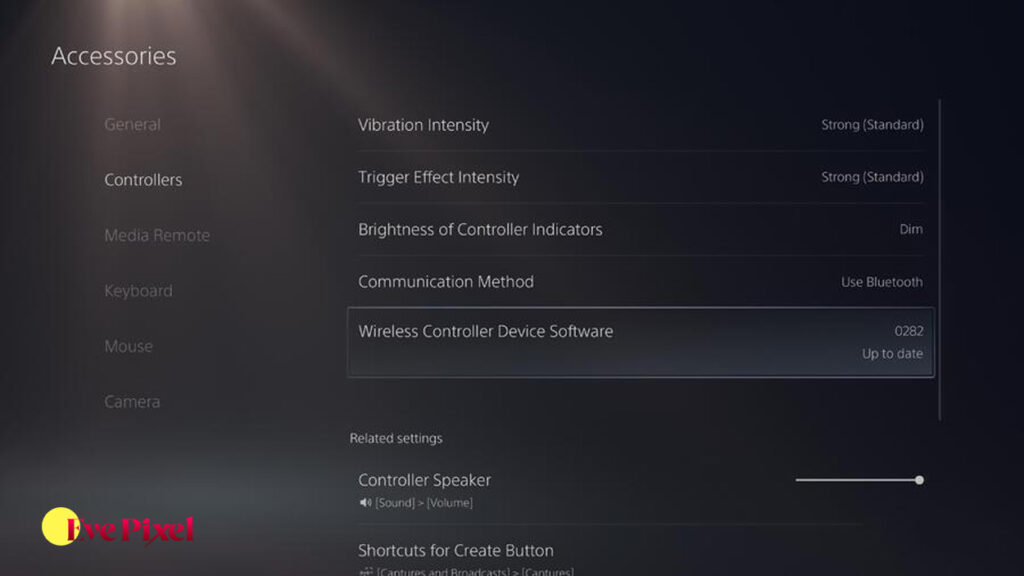
If input lag or drift appears, update DualSense firmware in the Accessories menu and recalibrate sticks through the PS5 Controllers settings.
When to Report Bugs to Sony
If bugs are persistent or severe, it’s helpful to submit a detailed report to Sony. Include:
- Firmware version number
- PS5 model (standard vs. digital)
- Affected features (network, audio, UI, etc.)
- Steps to reproduce the issue
- Logs or screenshots where possible
Detailed reports help developers identify patterns and prioritize fixes in hotfixes or future firmware releases.
How Sony Typically Responds
Sony has a track record of rolling out quick follow-up updates—sometimes labeled as hotfixes—to address critical bugs introduced by major firmware. These fixes may not always be announced publicly but can show up in incremental patch notes. Players should keep their systems updated and check official PlayStation support channels for the latest details.
Should You Delay Installing Firmware Updates?
Some players choose to wait a few days after a new firmware release before installing it, particularly if they rely on their PS5 for competitive gaming, media usage, or streaming. Waiting allows early adopters to report issues first and gives Sony time to release fixes. However, delaying also means missing out on beneficial improvements and security patches, so players must weigh the pros and cons.
FAQ
Can firmware updates cause data loss?
Rarely. Most firmware bugs affect performance, not stored data, but it’s always wise to back up saves to cloud storage.
Are all PS5 models affected equally?
Bugs can vary by model, accessories, and individual configurations, so not all players will see the same issues.
Does Sony know about these bugs?
Community reports suggest many of these bugs have been acknowledged by support teams.
Will future updates fix everything?
Official patches usually address major bugs, but smaller edge cases may persist longer.
Do third-party accessories worsen firmware bugs?
Sometimes third-party peripherals can interact unpredictably with system updates.
Can Safe Mode fixes really help?
Yes—Safe Mode options like Rebuild Database can resolve many systemic bugs.
PlayStation 5 firmware update bugs in 2026 are frustrating for many players, but they are also a sign of an evolving platform with increasingly complex features. Understanding why bugs occur, how to fix or work around them, and when to report them helps players stay in control and enjoy their consoles with minimal disruption. While Sony continues to refine its update process, players can use practical steps like database rebuilding, network resets, controller updates, and careful reporting to mitigate issues and restore smooth gameplay. Staying informed and proactive makes navigating firmware bugs much less stressful.