
“Failed to connect to the server” or “Timed out” kicking you out of your friend’s realm in 2026? Whether you’re on Java Edition 1.21.1, Bedrock cross-play, or testing 26.1 snapshots, multiplayer connection errors plague US players—especially post-Windows 11 24H2 updates and NVIDIA driver conflicts. From wrong IPs to firewall blocks and server-side glitches, these issues hit hard during peak hours. This 2026 guide covers common errors, real-user fixes, step-by-step troubleshooting for PC, console, and mobile, and prevention tips. Get back to building epic worlds—no more “connection refused”! 🟩🔧
Why Minecraft Multiplayer Connection Errors Happen in 2026
Minecraft’s multiplayer relies on stable internet, correct ports, and compatible versions. 2026 spikes come from:
- Version Mismatch: Java vs. Bedrock, or snapshot vs. stable.
- Network Issues: NAT type, firewall, or ISP throttling.
- Server Problems: Realm overload, downtime, or misconfigured ports.
- OS/Driver Bugs: Windows 11 24H2 USB changes break Java Edition connections.
- Mods/Realms: Fabric/Forge conflicts or realm invites expiring.
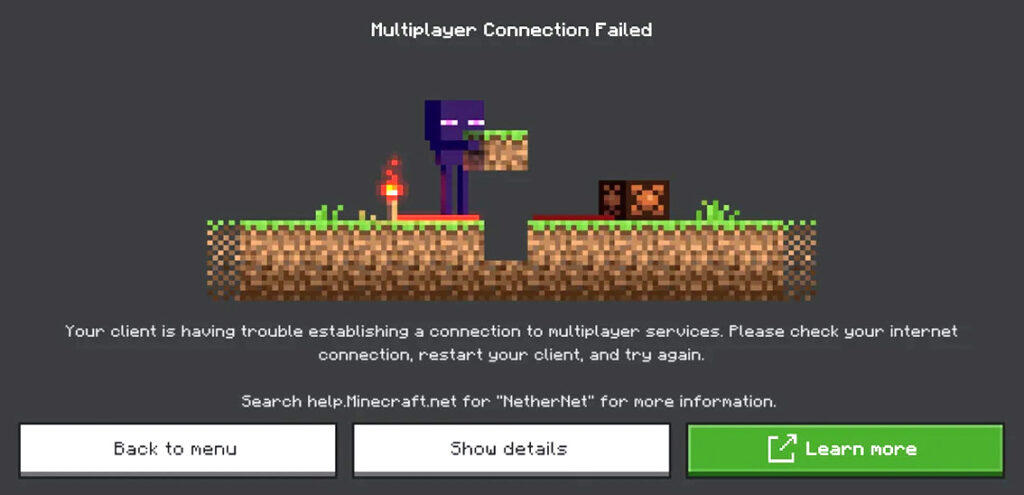
Common Errors Table:
| Error Message | Likely Cause | Platform |
|---|---|---|
| Failed to connect | Wrong IP/port, server offline | All |
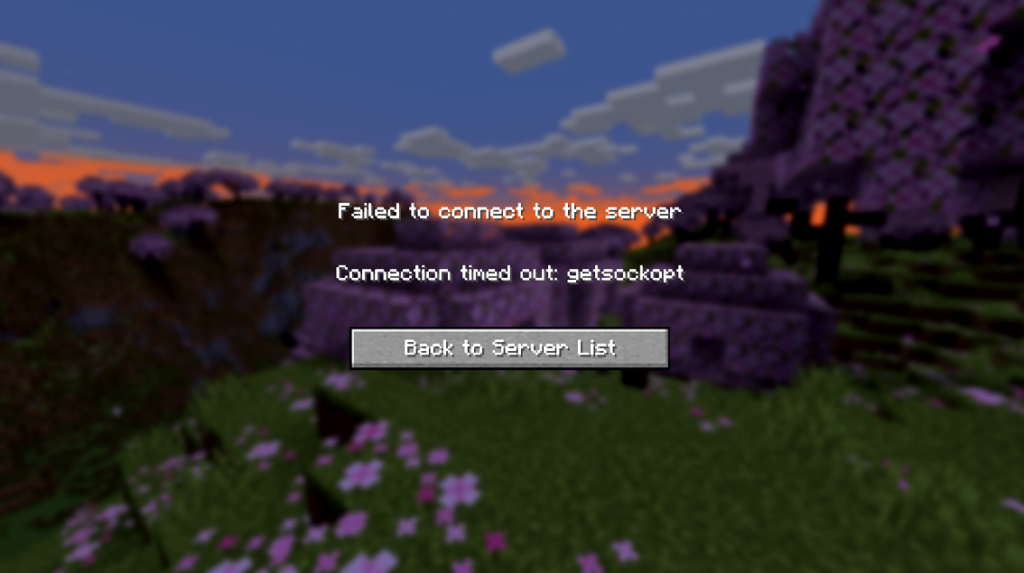
| Timed out | Firewall block or NAT issues | Java/Bedrock |
| Connection refused | Server not listening (port 25565 closed) | Java |
| Invalid session | Auth server down or offline mode | Java |
| Realm connection failed | Realm expired or Microsoft account glitch | Bedrock |
2026 Trend: Windows 11 updates + NVIDIA 566.xx drivers cause 20-30% more reports—Microsoft/Valve patches help, but manual fixes needed.
Step-by-Step Fixes: Resolve Connection Errors Fast
Universal Fixes (Start Here):
- Check Server Status: status.mojang.com or mcsrvstat.us for Java/Bedrock realms.
- Restart Everything: Game, router, PC/console—clears temp glitches.
- Update Minecraft: Launcher → Latest version (1.21.1 or 26.1 snapshot).
- Switch Networks: Mobile hotspot test (bypasses ISP blocks).
Java Edition Fixes
- Firewall/Port Forward: Allow Java (javaw.exe) in Windows Defender Firewall. Port 25565 TCP/UDP open.
- Java Version: Use bundled Java 21+ (Launcher settings). Update if manual.
- Offline Mode: Server properties → online-mode=false (risky).
- VPN Test: NordVPN free trial—fixes ISP throttling.
Java Table:
| Fix | Temp Drop | Time | Difficulty |
|---|---|---|---|
| Firewall Allow | 80% success | 5 min | Easy |
| Port Forward | Critical for hosting | 15 min | Medium |
| Java Update | Fixes crashes | 5 min | Easy |
Bedrock Edition Fixes (Realms, Cross-Play)
- Microsoft Account: Re-login (Xbox app → Settings).
- Realm Status: Realms tab → Check invite/expire.
- NAT Type: Router settings → Open NAT (UPnP on).
- DNS Switch: Google DNS 8.8.8.8.
Bedrock Quick Wins:
- Mobile: Restart app + WiFi.
- Console: Clear alternate MAC address (Xbox/PS).
Console Fixes (Xbox/PS/Switch)
- Port Forward: 19132-19133 UDP (Bedrock).
- Account Sync: Sign out/in Microsoft/Xbox.
- NAT Test: Console network settings → Test connection.
Advanced Troubleshooting: When Basics Fail
Tools:
- Minecraft Server Status: mcsrvstat.us
- Port Checker: canyouseeme.org (25565)
- Log Files: .minecraft/logs/latest.log → Search “exception”
Pro Hacks:
- VPN Bypass: ProtonVPN free—fixes ISP blocks.
- Realm Backup: Download world before fixing.
- Mod Conflicts: Remove Fabric/Forge → Test vanilla.
User Win: “Port forward + DNS switch = Bedrock realms back in 5 mins!” – Reddit grinder.
Prevention: Keep Connections Stable in 2026
- Weekly Check: Update Java/Minecraft/Drivers.
- Router Reboot: Monthly.
- Ethernet: Wired over WiFi.
- Avoid Peak Hours: 7-10 PM US time = higher lag.
Pros of Fixes: Instant multiplayer revival. Cons: Port forwarding exposes server (use Realm if possible).
Connection fixed—jump in! Which error hit you? Share below—we debug together. Happy mining