
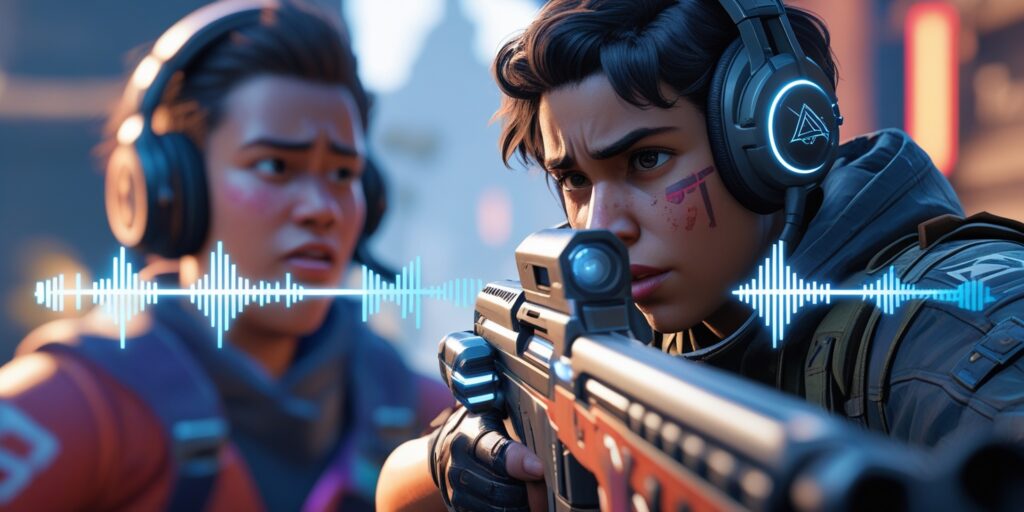
Many Apex Legends players have recently encountered an audio bug after patch that affects sound effects, directional audio cues, and weapon audio in unexpected ways. For a game built around split-second decisions and precise spatial awareness, sound plays a huge role. Hearing footsteps, ability cues, gunfire direction, or enemy actions can often be the difference between a clutch win and an unexpected defeat. When a patch alters audio behavior—intentionally or not—it ripples through the entire gameplay experience.
The latest Apex Legends update brought changes aimed at performance, balance, and audio improvements, but some players quickly noticed audio inconsistencies and bugs that weren’t present before. These include missing sounds, altered volumes, incorrect 3D audio positioning, and sounds that loop or trigger incorrectly. In this post, we’ll break down what changed in the audio system, why the bug might be happening, how it affects gameplay, and what steps players can take to mitigate the issue until an official fix arrives.
Why Audio Matters in Apex Legends
Sound in Apex Legends is more than ambiance—it’s information. Footsteps reveal enemy movement direction and distance. Ability cues communicate when a powerful ability is used nearby. Weapon audio helps identify what guns opponents are firing. This sound-based feedback is essential in fast team fights and tactical positioning.
When audio fails or behaves unpredictably after a patch, players miss critical cues, leading to confusion, mistimed engagements, or misplaced movements. Competitive players and casual gamers alike rely on consistent audio, making any audio bug especially noticeable and frustrating.
What Changed After the Latest Patch
The patch that introduced the audio bug included several sound system updates. These changes can be grouped into:
1. Engine Audio Refinements
Respawn Entertainment updated the audio engine to improve performance and consistency. This included adjustments to how 3D sound is processed, how ambient audio mixes with effects, and how sound layers interact during intense firefights.
2. Volume and Attenuation Tweaks
The patch changed how certain audio sources fade in and out over distance. Weapon audio, footsteps, and ability sound cues were modified to feel more balanced, but some players now report that certain sounds are quieter or cut off earlier than before.
3. New Audio Assets and Mix Changes
Some weapons and abilities received updated audio assets intended to refresh their sound profiles. However, these new assets may not always trigger correctly due to conflicts with existing sound-triggering code paths.
4. Networked Audio Sync Adjustments
Updates were made to improve how audio synchronizes across players in competitive matches. These changes can inadvertently introduce delays or misalignment between visual actions and their corresponding sounds.
Because these audio updates intersect with multiple systems, the bug manifests differently for different players depending on hardware, sound settings, and in-game conditions.
Common Audio Bug Symptoms Reported by Players
Players on PC, console, and even mobile have reported a range of audio issues since the patch:
- Footsteps that don’t play until after enemies are visible
- Weapon fire sounds reduced or missing entirely
- Inconsistent ability cues (e.g., Bangalore smoke, Wraith portal sounds)
- 3D positional audio that feels inaccurate or reversed
- Looping or distorted sound effects
- Sudden volume spikes or silent moments in combat
These audio inconsistencies break immersion and can impact competitive integrity, especially when directional audio is crucial.
Why This Bug Happened
Sound bugs after big patches often occur when multiple changes intersect with legacy systems or edge-case behaviors. In this case, the recent Apex Legends patch updated parts of the audio pipeline while also tweaking gameplay balance and network behavior. When multiple systems change simultaneously, unexpected interactions can lead to regressions.
For example, an update intended to make footsteps quieter at long range can unintentionally silence them entirely under certain conditions if the attenuation curve interacts with other sound priorities in the engine. Similarly, changes to audio prioritization can cause weapon sound cues to get overridden by ambient sound layers.
Audio bugs are particularly tricky because they depend on hardware differences (headphones vs. speakers), platform variations (PC vs. console), audio APIs (DirectSound, WASAPI, or platform mixers), and even player settings like audio presets or surround sound emulation.
How the Bug Affects Gameplay
Competitive play in Apex Legends is highly dependent on reliable audio feedback. When audio bugs interfere with:
- Enemy movement detection, players may misjudge engagements
- Gunfire location, positioning becomes less confident
- Ability cue timing, reaction windows may shorten
- Team communication, clarity deteriorates
This can make even routine fights feel chaotic or unpredictable, leading to frustration across skill levels. Many players also note that the audio bug reduces player confidence because visual information alone is insufficient for decision-making in intense moments.
Temporary Fixes and Workarounds
While only Respawn can fully correct the bug through a hotfix or future patch, players can try a few temporary workarounds to improve audio behavior:
1. Reset In-Game Audio Settings
Go to audio settings and cycle through different presets (e.g., Stereo → Headphones → Surround) to force the game to reload its audio configuration.
2. Lower Sound Quality Then Re-Raise
Temporarily lowering sound quality and then increasing it can reset how the game prioritizes audio assets.
3. Update Audio Drivers
Outdated audio drivers on PC can worsen inconsistencies—updating to the latest drivers may help.
4. Use Third-Party Audio Tools
On PC, audio managers like Realtek Console or sound enhancement tools can sometimes stabilize audio behavior, though results vary.
5. Switch Output Devices
Sometimes headphones handle 3D audio better than speakers. Switching between devices can help isolate issues.
6. Lower Game Volume and Use Headphones
Reducing overall game volume and using quality headphones can make audio cues easier to hear even if they are slightly altered.
What Respawn Is Doing About It
Respawn has acknowledged audio complaints publicly and is expected to release hotfixes focusing on audio system stability and cue reliability. Developers typically monitor crash logs, player reports, and telemetry before deploying targeted fixes. These fixes may appear in incremental patches rather than large seasonal updates.
Players can follow official Apex Legends patch notes and community channels to stay updated on hotfix progress.
Why Audio Bugs Happen After Major Updates
Audio bugs after a patch are not uncommon in online games with complex sound systems. Multiple subsystems—networking, animation, effects mixing, prioritization, and user settings—all feed into the audio pipeline. When large patches adjust multiple of these systems simultaneously, unanticipated regressions can occur.
Patch complexity increases with every update, and edge-case hardware or settings combinations can reveal bugs not found in internal testing.
Also Read: Fortnite Small Patch Changing Weapon Damage: Explained
FAQ
Does this audio bug happen on all platforms?
Many players report issues on PC and consoles; mobile behavior may vary by device.
Can I fix the bug completely without waiting for a patch?
No. Workarounds help, but a full fix must come from the developers.
Does changing audio presets help?
Sometimes. Cycling presets forces audio reinitialization.
Is the issue widespread?
Yes, community reports show a significant number of players affected.
Will future patches address this?
Respawn typically hotfixes audio regressions in upcoming updates.
Are other games experiencing similar post-patch audio issues?
Yes—complex multiplayer titles often see audio regressions after major updates.
The Apex Legends audio bug after patch highlights how critical sound systems are to gameplay and how intricate they become as games evolve. While the latest patch aimed to improve audio performance and quality, unintended interactions introduced bugs that affect directional cues, weapon sounds, and overall audio reliability. By understanding what changed and using temporary workarounds, players can reduce frustration while awaiting an official fix. Staying informed through patch notes and community feedback helps players know when a resolution arrives and how to best adapt in the meantime.