
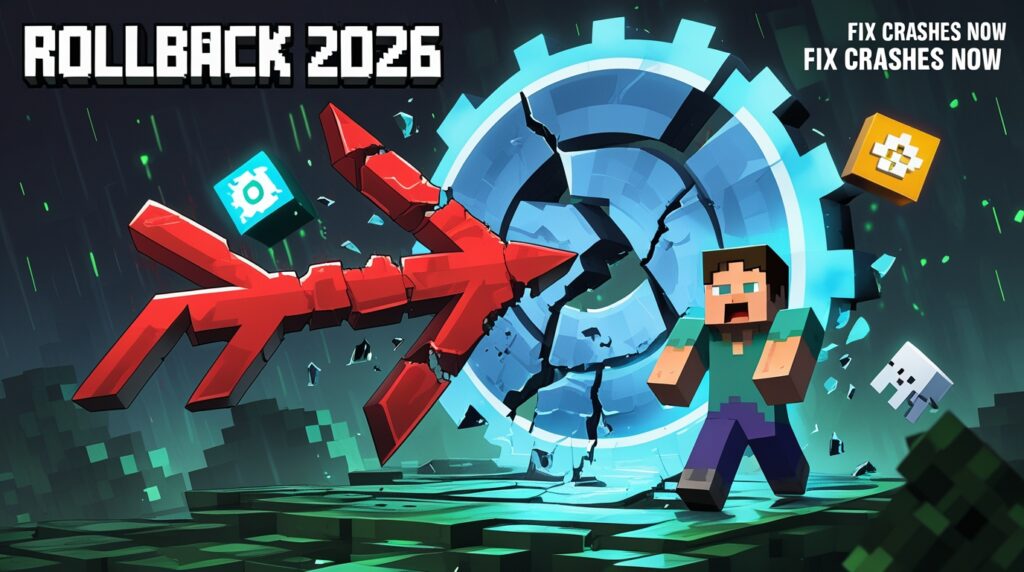
🎮 Updated Fabric loader causing crashes in 2026? Or did the latest 26.1 snapshot break your favorite mods? No worries—rolling back Fabric is straightforward and keeps your worlds safe. As Minecraft shifts to year-based versioning (hello, 26.1 snapshots!), Fabric’s quick updates sometimes outpace mod compatibility. This guide walks you through safe downgrades for Fabric Loader, Minecraft versions, and even server setups. Perfect for casual US players on Fabric who want stability without losing Sodium-boosted FPS. We’ll cover steps for the official launcher, backups, and real fixes from community forums. Let’s get your game running smoothly again! 🛠️
Why Rollback Fabric in 2026?
Fabric Loader updates fast—often daily for snapshots like 26.1—but that speed can cause issues:
- New loader breaks older mods (e.g., incompatibility with Sodium or Iris).
- Snapshot changes (Java 25 required) crash unstable setups.
- Mod packs not yet updated for the latest MC version.
Real-User Scenarios:
- “Just updated to 26.1-snapshot-3, now my world won’t load!” (Common on Reddit/Fabric Discord)
- “Loader 0.18.5 broke my custom shaders—need to go back to 0.18.4”
Rolling back fixes 90% of these without losing progress. Always backup first!
Prep: Backup Your Worlds & Mods (Essential Step)
Before any downgrade:
- Backup Worlds: In .minecraft/saves → Copy entire folder to desktop.
- Backup Mods Folder: .minecraft/mods → Zip it up.
- Backup Profiles: Export launcher profiles (in official launcher: Installations > … > Export).
⚠️ Pro Tip: Use tools like Prism Launcher or MultiMC for built-in backups—super easy for rollback experiments.
Step-by-Step: Downgrade Fabric Loader (Most Common Fix)
Fabric’s installer lets you pick older loader versions directly—no manual downloads needed.
Using the Fabric Installer (5 Minutes)
- Download the latest Fabric Installer from fabricmc.net/use/installer (universal JAR works everywhere).
- Run it (double-click or java -jar fabric-installer.jar).
- In the GUI:
- Select your Minecraft Version (e.g., 1.21.11 stable or 26.1 snapshot).
- Click the Loader Version dropdown → Choose an older one (e.g., 0.18.4 instead of 0.18.5).
- Install to the same profile or create a new one named “Fabric-Old”.
- Launch Minecraft → Select your downgraded profile → Play.
Alternative: Manual Loader Download
- Go to github.com/FabricMC/fabric-loader/releases.
- Scroll to older releases (e.g., 0.18.4).
- Download the JAR for your MC version.
- In launcher: Installations > Edit your Fabric profile > “More Options” > Browse to the old loader JAR under “Game Version” or override.
User Tip: If the dropdown doesn’t show old versions, run the installer with –legacy flag (advanced).
Rollback Minecraft Version (For Snapshot Issues)
If the problem is the MC version itself (e.g., 26.1-snapshot-3 breaks mods):
- Open Minecraft Launcher > Installations tab.
- Click New Installation.
- Name it “Minecraft 1.21.11 Fabric”.
- Under Version → Select older stable (e.g., 1.21.11).
- More Options > Set Java to 21 (for older versions; snapshots need 25).
- Run Fabric Installer again → Select the new MC version → Install Loader.
- Launch the new profile.
Quick Comparison Table (2026 Versions):
| Version | Java Needed | Fabric Support | Best For |
|---|---|---|---|
| 1.21.11 (Stable) | Java 21 | Full | Reliable mod packs |
| 26.1-snapshot-1 | Java 25 | Good | Testing new features |
| 26.1-snapshot-3 | Java 25 | Latest Loader | Cutting-edge but buggy |
Server Rollback (For Hosted Worlds)
Hosting on WiseHosting, Aternos, or similar?
- Stop the server.
- In control panel → “Version” or “Startup” tab.
- Select Fabric → Pick older loader version (e.g., 0.18.4).
- Restart server.
- Update client to match.
Common Fix: If mods fail, upload backed-up mods folder to server/mods.
Troubleshooting: Fix Rollback Problems
From real 2026 forum posts:
- “Loader not showing in dropdown” ✅ Run installer as admin or use GitHub JAR.
- Crash on Launch (Exit Code 1) ✅ Delete .minecraft/versions/[old-profile] folder → Reinstall.
- Mods Not Loading ✅ Ensure Fabric API matches the downgraded loader (redownload from Modrinth).
- Java Mismatch ✅ Launcher auto-downloads right Java, but manually set in profile settings.
- World Corrupted? ✅ Restore from backup—never play downgraded on updated world.
Quick Fix Table:
| Issue | Solution |
|---|---|
| No old loader versions | Use GitHub releases or older installer |
| Mod incompatibility | Downgrade MC version first |
| Server won’t start | Match client/server loader exactly |
| Black screen | Clear shader cache in mods folder |
One Reddit user said: “Downgraded loader to 0.18.4—back to 300 FPS with Sodium. Lifesaver!”
Final Thoughts: Stay Stable in 2026
Rolling back Fabric keeps modding fun without headaches. Stick to stable 1.21.11 for big packs, or test snapshots with backups. Fabric’s community updates fast—check Discord for mod ports.
Got a specific loader version or error? Drop it in comments—we’ll troubleshoot together. Happy modding, blockheads!